Trakt
This page focuses on Trakt as your watch-history backbone.
For recommendations/catalog setup, use:
For advanced metadata/catalog control, see AIOMetadata.
What is Trakt used for in this guide?
In this guide, Trakt is primarily used for:
- Scrobbling (syncing watched status/history)
- Powering recommendation workflows that rely on history
Creating a Trakt account
- Head over to Trakt and click Join Trakt For Free.
- Create your account using Google, Apple, or email.
Enabling Trakt scrobbling
Stremio has built-in Trakt scrobbling support.
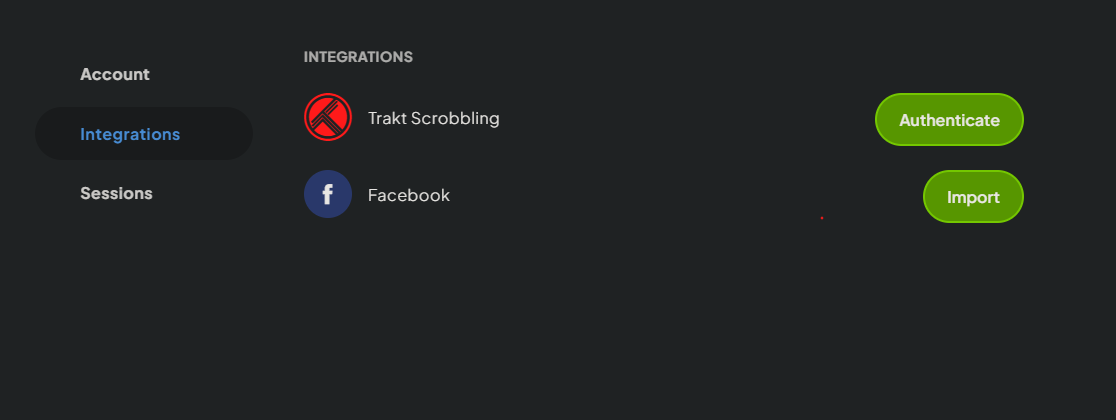
- Open Stremio account settings.
- Go to the Integrations tab.
- Click
Authenticatenext to Trakt Scrobbling. - Log in to Trakt and approve access.
Trakt Integration addon
After enabling Trakt scrobbling, Stremio installs the Trakt Integration addon.
It provides these default catalogs:
- Trakt History (Movies)
- Trakt History (TV Shows)
- Trakt Watchlist (Movies)
- Trakt Watchlist (TV Shows)
- Trakt Recommendations (Movies)
- Trakt Recommendations (TV Shows)
You cannot customise these built-in catalogs.
If you prefer fully custom catalog control, you can uninstall this addon (it does not affect scrobbling) and use:
Recommendation methods
There are two main recommendation paths used in this guide:
-
Custom/personal catalogs
-
Build personalised lists in MDBList.
-
Add them via StremThru Lists.
tipIf you use AIOMetadata, you can simply use the built-in BYOC (Build Your Own Catalog) workflow to create custom catalogs without needing MDBList + StremThru Lists. (Although AIOMetadata does also support add ing MDBList lists if you prefer that workflow.)
-
-
History-driven picks
- Use AIOpicks, which relies on Trakt history.
Trakt scrobbling can occasionally be unreliable for some users.
AIOMetadata offers a check-in workflow that uses a workaround to mark items as watched more consistently. This is generally more predictable for watch-state updates, but it does not have full player completion awareness (for example, it cannot reliably detect when an episode was fully finished - as soon as you start watching, it gets marked as watched.).
Use this option if scrobbling does not work for you.
If you do self-host (i.e. not possible on public instances), StremThru offers a much more robust method that relies on Stremio's library functionality, this works on external players too, unlike AIOMetadata's check-in. You'll need to set it up at the StremThru dashboard.